Synchronized data and tags
The integration synchronizes the selected club’s Athletes into contacts in its connected GoHighLevel Location. It does not import standalone Uptivo Contacts or GoHighLevel contacts into Uptivo.
Existing contacts are matched using their Uptivo identity or, for the initial link, email. Phone numbers are not identity keys. Ambiguous or conflicting matches are not overwritten; resolve them before retrying synchronization.
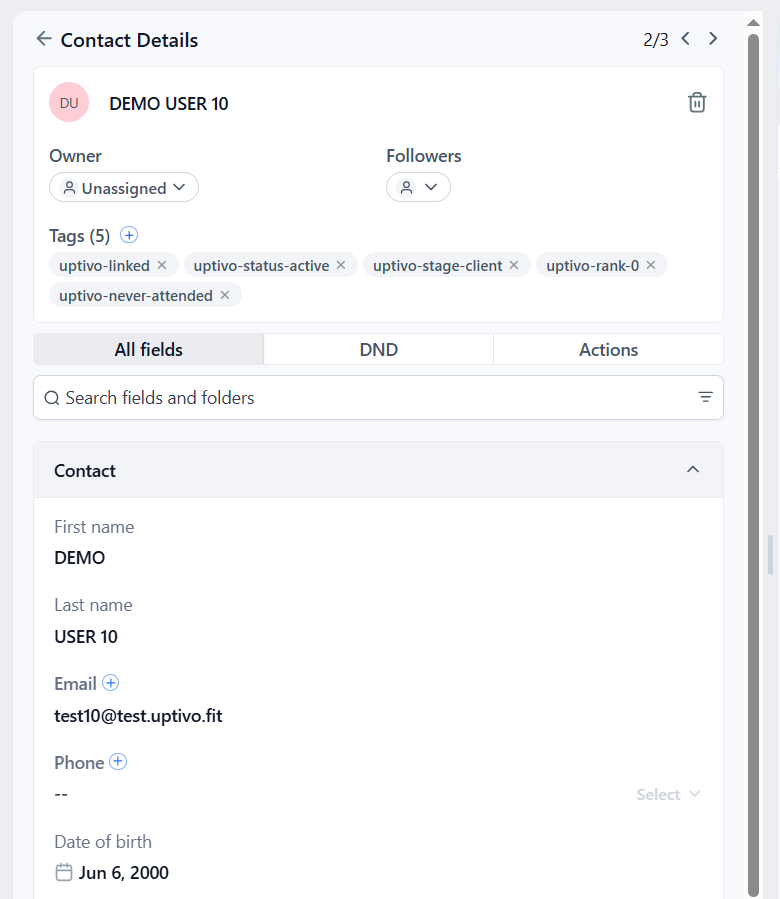
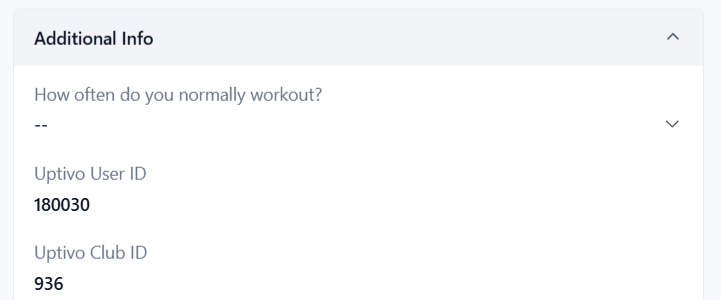
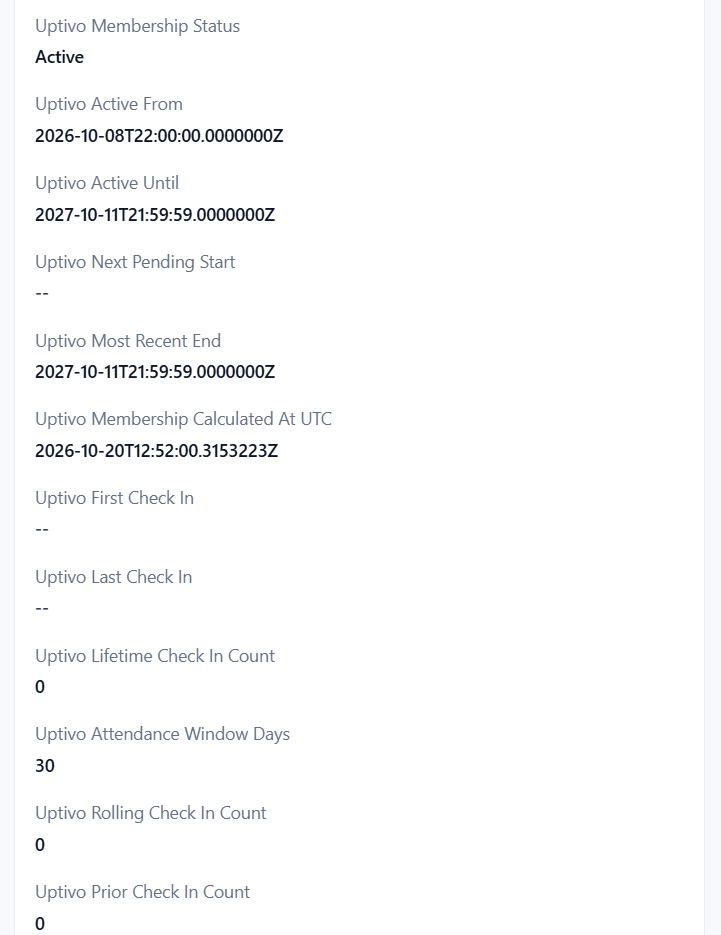
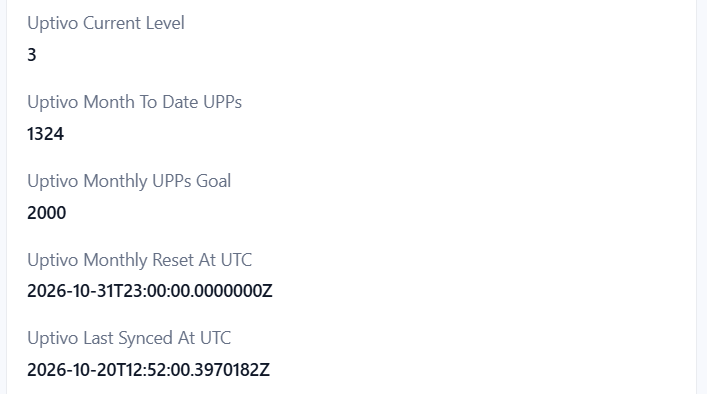
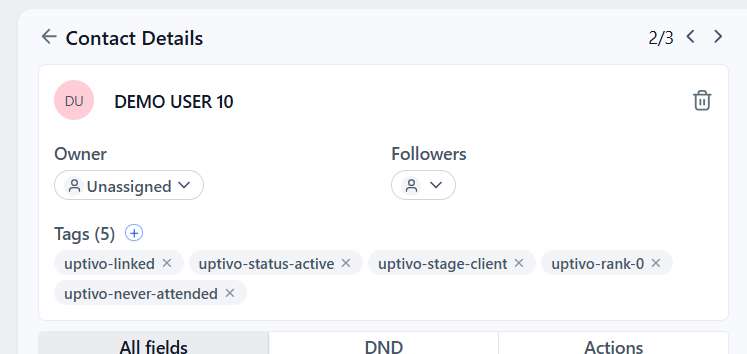
The screenshots below illustrate separate examples of test data, not one contact’s complete synchronized snapshot. Select an image to view it at full resolution.
Data ownership
Section titled “Data ownership”Uptivo is the source for its custom fields and managed tags. Editing or clearing them in GoHighLevel does not update Uptivo, and a later synchronization may replace those edits. Blank source values can clear corresponding managed custom values.
Standard contact fields follow the per-connection option Overwrite standard fields on existing GoHighLevel contacts, which is unchecked by default:
| Contact | Option | Standard fields |
|---|---|---|
| Already exists in GoHighLevel | Unchecked, the default | Preserve all existing standard values, including blank fields and Contact Type. |
| Already exists in GoHighLevel | Checked | Update standard values from Uptivo when profile data is synchronized. Blank Uptivo values can clear corresponding standard values. |
| Newly created by the integration | Either | Fill standard values from Uptivo. The next synchronization treats the contact as existing, even if Uptivo created it. |
Uptivo custom fields and managed tags continue to update in all three cases. See Change the overwrite option for the controls and save behavior.
Keep campaign-specific fields and tags separate, for example Club Onboarding
Started and club-at-risk. Uptivo preserves unrelated tags and does not
change the contact’s Do Not Disturb preferences or source attribution.
Standard contact fields
Section titled “Standard contact fields”These mappings apply when a new contact is created or when overwriting existing contact fields is enabled. Otherwise the standard fields stay as they are in GoHighLevel.
| GoHighLevel value | Uptivo source |
|---|---|
| First name, last name, email | Athlete profile |
| Phone | Athlete phone, when accepted by the Location |
| Date of birth | Athlete calendar birth date, without a time or timezone |
| Address | Uptivo address lines combined into one street-address value |
| City, state/province, postal code | Athlete address details |
| Country | Athlete country, when supplied |
| Timezone | Athlete timezone |
| Contact Type | customer for Client Stage Client; lead for Lead, Qualified, or Prospect |
If Uptivo has no country value, the existing GoHighLevel country is preserved. The detailed commercial stage is always synchronized in Uptivo Client Stage, independently of the overwrite option. When overwriting is disabled, the existing Contact Type can differ from that stage. Changing Contact Type in GoHighLevel does not change the stage in Uptivo.
Uptivo Phone preserves the Uptivo source number even when the standard phone is left unchanged. When standard fields are being written, a shared phone conflict can also leave the standard phone unchanged. See Shared phone numbers.
Example: standard contact profile
Identity and profile fields
Section titled “Identity and profile fields”Custom fields are created as needed in the connected Location.
| Field | Type | Meaning |
|---|---|---|
| Uptivo User ID | Text | Stable Uptivo identity of the Athlete. Do not replace it with email as your permanent key. |
| Uptivo Club ID | Text | The club associated with this contact’s integration data. |
| Uptivo Nickname | Text | Athlete nickname, when available. |
| Uptivo Phone | Text | Phone number from Uptivo, including when the standard phone cannot be updated. |
| Uptivo Client Stage | Text | Lead, Qualified, Prospect, or Client. |
Membership fields
Section titled “Membership fields”| Field | Type | Meaning |
|---|---|---|
| Uptivo Membership Status | Text | None, Active, Paused, Pending, Expired, or Canceled. |
| Uptivo Active From | UTC text | Earliest start among currently active assignments. |
| Uptivo Active Until | UTC text | Latest end among currently active assignments; not a promise of uninterrupted future coverage. |
| Uptivo Next Pending Start | UTC text | Earliest start among usable future assignments. |
| Uptivo Most Recent End | UTC text | End of the most recently started assignment, not its cancellation or ticket-exhaustion timestamp. |
| Uptivo Membership Calculated At UTC | UTC text | When the membership summary was evaluated. |
The status combines all of the Athlete’s club assignments. Active takes
precedence over Paused, then Pending; otherwise the most recently started
assignment determines Canceled when disabled, or Expired. No assignments
means None. Expired can reflect exhausted tickets as well as elapsed dates.
This integration provides a summary, not a custom object containing every assignment. See Effective membership states for the complete state rules.
Attendance fields
Section titled “Attendance fields”| Field | Type | Meaning |
|---|---|---|
| Uptivo First Check In / Uptivo Last Check In | UTC text | First/latest qualifying Class start across saved club history. |
| Uptivo Lifetime Check In Count | Number | Qualifying check-ins across saved club history. |
| Uptivo Attendance Window Days | Number | Number of elapsed UTC days in each comparison window; normally 30. |
| Uptivo Rolling Check In Count | Number | Check-ins during the latest window. |
| Uptivo Prior Check In Count | Number | Check-ins during the equally sized window immediately before it. |
| Uptivo Attendance Calculated At UTC | UTC text | Evaluation instant for the attendance values. |
A check-in is a confirmed Class booking with NoShow=false whose Class has
started. Ongoing Classes count; future and queued bookings do not. The dates
use Class start, not a physical access-control timestamp. These values reflect
saved attendance flags and corrections, not independent proof of physical
presence.
First/last check-in and lifetime count are not limited to the rolling window. Check Uptivo Attendance Window Days before applying a threshold: a count of three has a different meaning over seven days than over 30. See Attendance summaries.
Example: membership and attendance fields
Engagement fields
Section titled “Engagement fields”| Field | Type | Meaning |
|---|---|---|
| Uptivo Current Level | Number | Current effective Uptivo or brand level. Zero is a valid value. |
| Uptivo Month To Date UPPs | Number | Points accumulated in the Athlete’s current monthly period. |
| Uptivo Monthly UPPs Goal | Number | Goal for that period. Zero disables goal-based reminders. |
| Uptivo Monthly Reset At UTC | UTC text | Next monthly reset in the Athlete’s timezone, expressed in UTC. |
Points follow the source selected by Uptivo and can include activity outside the connected club. Do not substitute the Location’s month-end for the supplied reset instant. The integration supplies current values, not a history of level transitions, individual Trainings, raw telemetry, or individual badge awards.
Refresh and evaluation fields
Section titled “Refresh and evaluation fields”| Field | Type | Meaning |
|---|---|---|
| Uptivo Last Synced At UTC | UTC text | Timestamp associated with the latest synchronized update. It is not an activity or membership transition date. |
| Uptivo Evaluation Requested At UTC | UTC text | Optional signal asking your workflows to reassess a contact after a successful background update. |
The evaluation signal must be enabled for your integration. It can change even when the other values stay the same. Use it to evaluate conditions, not as an instruction to send another message. See Workflow examples.
Date formats and empty values
Section titled “Date formats and empty values”UTC text fields contain ISO 8601 timestamps such as
2026-10-20T12:00:00.0000000Z. They are text fields, not native GoHighLevel Date
fields. Convert them before date arithmetic or comparisons with local dates.
An empty date means it is not applicable; a numeric zero remains zero.
Managed tags
Section titled “Managed tags”| Tag | Meaning |
|---|---|
uptivo-linked |
Contact linked to Uptivo. This tag remains when the Athlete leaves the club. |
uptivo-club-removed |
Athlete removed from the club; contact and previous data retained. A successful synchronization for an Athlete present again removes it. |
uptivo-status-none, uptivo-status-active, uptivo-status-paused, uptivo-status-pending, uptivo-status-expired, uptivo-status-canceled |
Effective membership state; one current tag in this group. |
uptivo-stage-lead, uptivo-stage-qualified, uptivo-stage-prospect, uptivo-stage-client |
Current Client Stage; one current tag in this group. |
uptivo-rank-N |
Current level, for example uptivo-rank-3. |
uptivo-has-attended, uptivo-never-attended |
Whether lifetime Class check-ins are greater than zero. |
When an Athlete leaves, the contact’s other fields and tags remain as the last
synchronized values. Exclude uptivo-club-removed from active-member campaigns;
uptivo-linked alone does not prove current club membership. Periodic refreshes
visit current Athletes and are not a complete audit of former-member removals.